How it works
- Purpose: Score 5S in a defined area, track the trend over time and close every deviation with a named owner and a date.
- How it scores: You count deviations per question, you do not rate an impression. 0 deviations scores 4 points, 1 scores 3, 2 scores 2, 3 scores 1, more than 3 scores 0.
- Why counting: Two auditors who walk the same area must arrive at the same number. Counting is the only method that reliably does that.
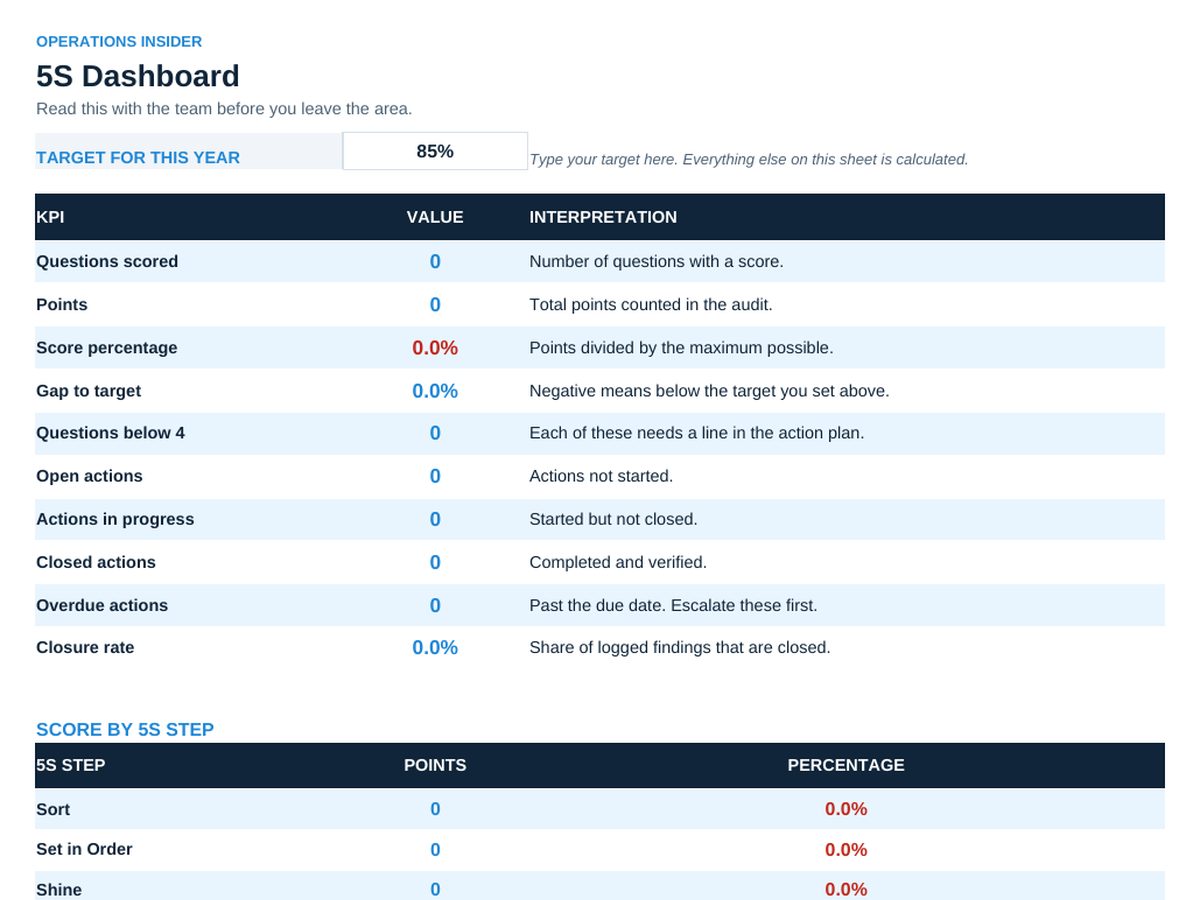
- Maximum score: 25 questions times 4 points equals 100 points per area. The percentage on the dashboard is simply points out of 100.
- Where to type: Only white cells with a thin border are input cells. Everything shaded is a label or a formula.
- Workflow: 1. Fill the audit header. 2. Score all 25 questions in one walk. 3. Every score below 4 becomes an action. 4. Transfer to the action plan. 5. Read the dashboard with the team before you leave the area.
- Dropdowns: Score, status and decision fields use dropdown lists. Typing over them breaks the dashboard formulas.
Sheets in the workbook
- Read Me
- Dashboard
- Full Audit
- Action Plan
Who it is for
Team leaders and 5S coordinators who audit one or a few areas.
The method behind the numbers
This workbook is part of the 5S toolkits. The Starter Kit adds the guide and the checklist for the first 30 days. The Excellence Bundle adds playbook, workshop pack, templates, deck and the complete Excel system.