How it works
- Open 07 Setup. Enter the area, adapt the KPI targets and the emission factor. Keep the sixteen modules as they are.
- Assess the area in 02 Maturity: one level from 0 to 4 per module and assessment, with one line of evidence. Enter a target per module.
- The three focus modules calculate from the rule: below level 3, lowest layer first, then lowest level.
- Plan the modules in 03 Rollout Plan with wave, dates, owner, status and progress. The schedule status calculates.
- Enter the monthly totals in 04 KPI Log. KPIs calculate from the totals.
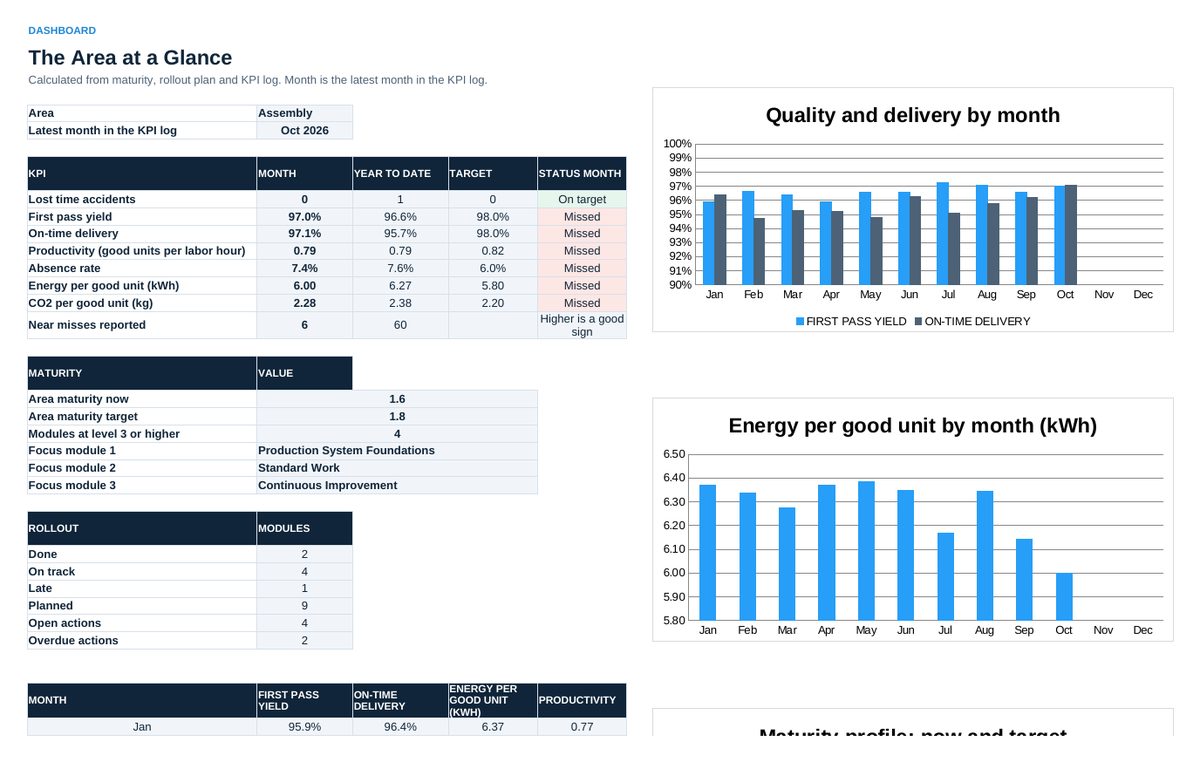
- Read 05 Dashboard in the weekly review: maturity, focus modules, KPIs against target, rollout status.
- Agree actions in 06 Action Plan, with owner and date.
Sheets in the workbook
- Start
- Maturity
- Rollout Plan
- KPI Log
- Dashboard
- Action Plan
- Setup
Who it is for
Plant managers and operational excellence leads who start or restart a production system.
The method behind the numbers
This workbook is part of the Production System Foundations toolkits. The Starter Kit adds the guide and the checklist for the first 30 days. The Excellence Bundle adds playbook, workshop pack, templates, deck and the complete Excel system.