How it works
- Open 02 Setup. Enter the plant, revenue, the targets and the count tolerances per class.
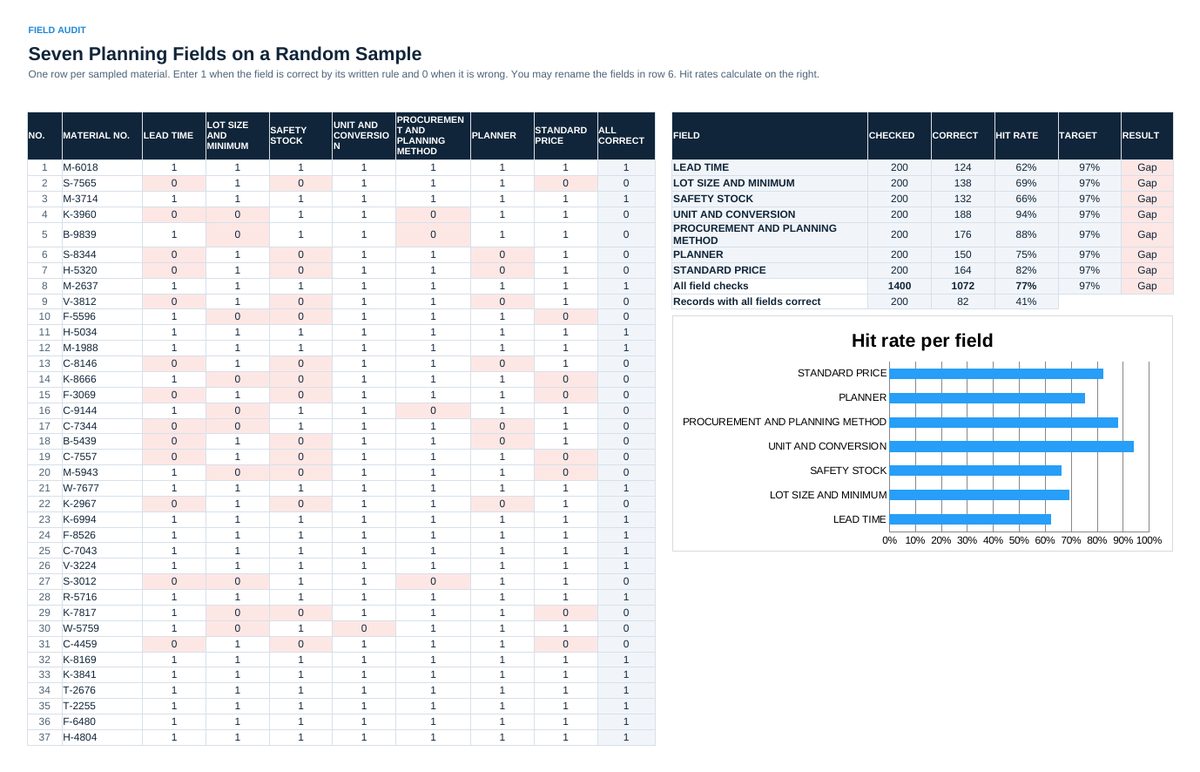
- Draw a random sample of active materials. In 03 Field Audit enter 1 or 0 per field against your written rules.
- Check bills of material at the bench. In 04 Bill Check enter lines, wrong lines and the main error per bill.
- Count storage locations blind. In 05 Count Check enter system quantity, counted quantity and the cause of every deviation.
- Collect the six cost items in 06 Cost of Bad Data. Read 07 Status and hang the numbers on the wall.
Definitions used in the workbook
- Field hit rate: Correct field checks divided by all field checks of the sample.
- Bill of material accuracy: Bills without any wrong line divided by bills checked. Line accuracy is shown next to it and is always much higher.
- Inventory record accuracy: Locations where the counted quantity matches the system quantity within the tolerance of the class, divided by locations counted.
Sheets in the workbook
- Start
- Setup
- Field Audit
- Bill Check
- Count Check
- Cost of Bad Data
- Status
Who it is for
Planners, buyers and logistics managers who want to know how good their master data really is.
The method behind the numbers
This workbook is part of the Master Data and ERP Readiness toolkits. The Starter Kit adds the guide and the checklist for the first 30 days. The Excellence Bundle adds playbook, workshop pack, templates, deck and the complete Excel system.