How it works
- 02 Setup holds the rules: class limits, service levels, holding cost rate, cost per order, maximum reach, limits for slow movers, count frequency and tolerance. 03 Items holds master data, stock and 13 weeks of demand.
- 04 Classes and 05 Matrix classify every item ABC and XYZ and show items, usage value and stock per field with the policy.
- 06 Parameters calculates safety stock, reorder point, order quantity, maximum, target stock and the status of each item.
- 07 Turns and Reach shows turns, days on hand and the gap to target per item and class. 08 Slow Movers lists stock without movement and excess with a decision per position.
- 09 Count Plan schedules the cycle counts per class. 10 Count Log records counts and calculates record accuracy and the causes of deviations.
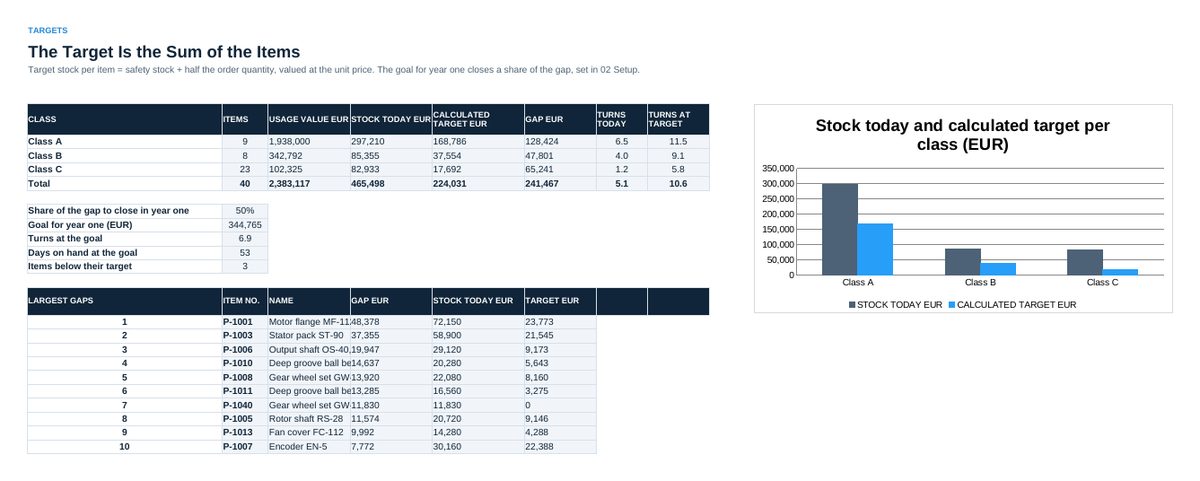
- 11 Targets adds up the target stock per class and sets the goal for year one. 12 Key Figures tracks seven figures of the warehouse per month. 13 Audit holds the 25 statements. 14 Status is the one-page summary.
Definitions used in the workbook
- Safety stock: z x SQRT(L x sD^2 + d^2 x sL^2), rounded up. z from the service level with NORMSINV, d and sD from the 13 weeks, L and sL in weeks.
- Reorder point and maximum: Reorder point = d x L + safety stock. Maximum = reorder point + order quantity. Target stock = safety stock + half the order quantity.
- Turns and days on hand: Turns = annual usage value / stock value. Days on hand = 365 / turns. Reach = stock on hand / average demand per week.
- Record accuracy: Counts within the tolerance of the class / all counts.
Sheets in the workbook
- Start
- Setup
- Items
- Classes
- Matrix
- Parameters
- Turns and Reach
- Slow Movers
- Count Plan
- Count Log
- Targets
- Key Figures
- Audit
- Status
Who it is for
Materials managers who steer a whole warehouse with targets per class.
The method behind the numbers
This workbook is part of the Inventory Management toolkits. The Starter Kit adds the guide and the checklist for the first 30 days. The Excellence Bundle adds playbook, workshop pack, templates, deck and the complete Excel system.