How it works
- Open 02 Setup. Enter units per year, working time, planned overall effectiveness and the targets. Read takt, required cycle time and output.
- Enter one requirement per line in 03 Requirements: category, sentence with shall, must or want, acceptance criterion, method, stage and owner.
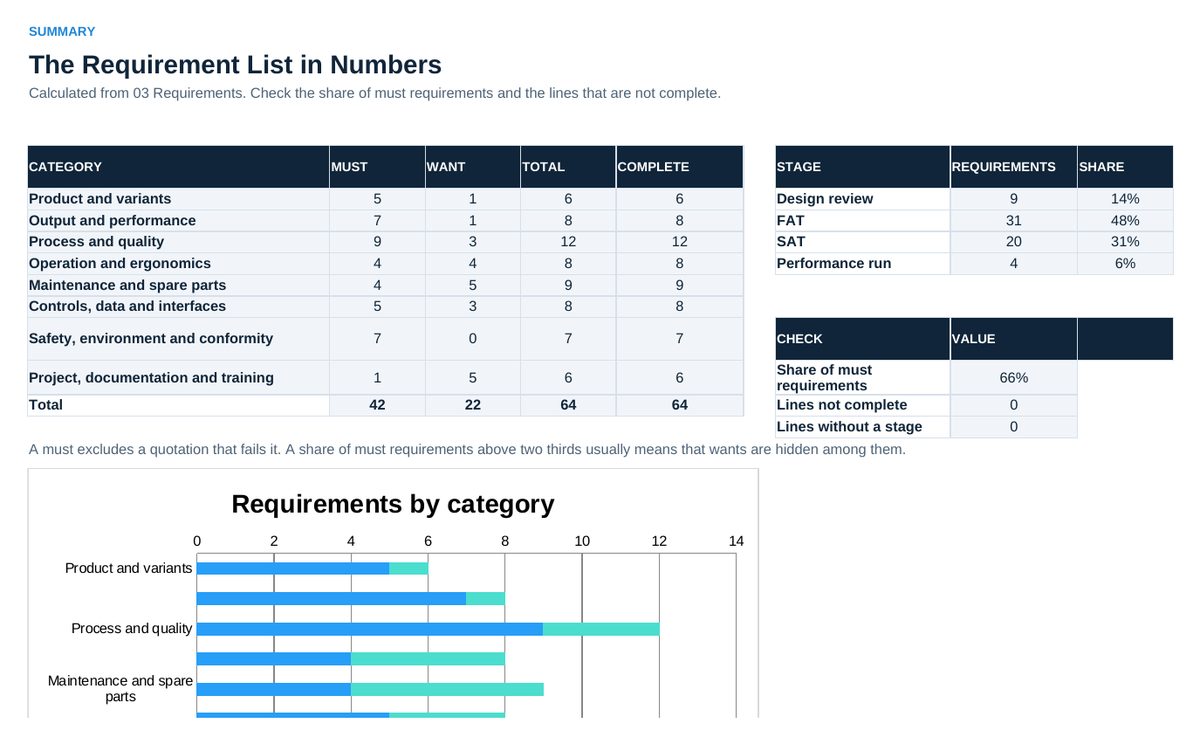
- Read 04 Summary: requirements per category and stage, share of must requirements and lines that are not complete.
- After the quotations arrive, enter the answer of each supplier per requirement and the price in 05 Bid Check.
- Read 06 Status before the release of the specification and before the decision.
Definitions used in the workbook
- Must and want: A must requirement excludes a quotation that fails it. A want requirement earns points in the comparison.
- Stage: Where a requirement is verified: design review, factory acceptance test (FAT), site acceptance test (SAT) or performance run.
- Customer takt: Available seconds per day / demand per day.
Sheets in the workbook
- Start
- Setup
- Requirements
- Summary
- Bid Check
- Status
Who it is for
Manufacturing engineers and production managers who write the specification for a new machine or line.
The method behind the numbers
This workbook is part of the Equipment Specification and Acceptance toolkits. The Starter Kit adds the guide and the checklist for the first 30 days. The Excellence Bundle adds playbook, workshop pack, templates, deck and the complete Excel system.